01 / 01
Split
Easily save specific pages of your PDF document. You can extract one page or multiple pages from PDF.
Try GoodPDF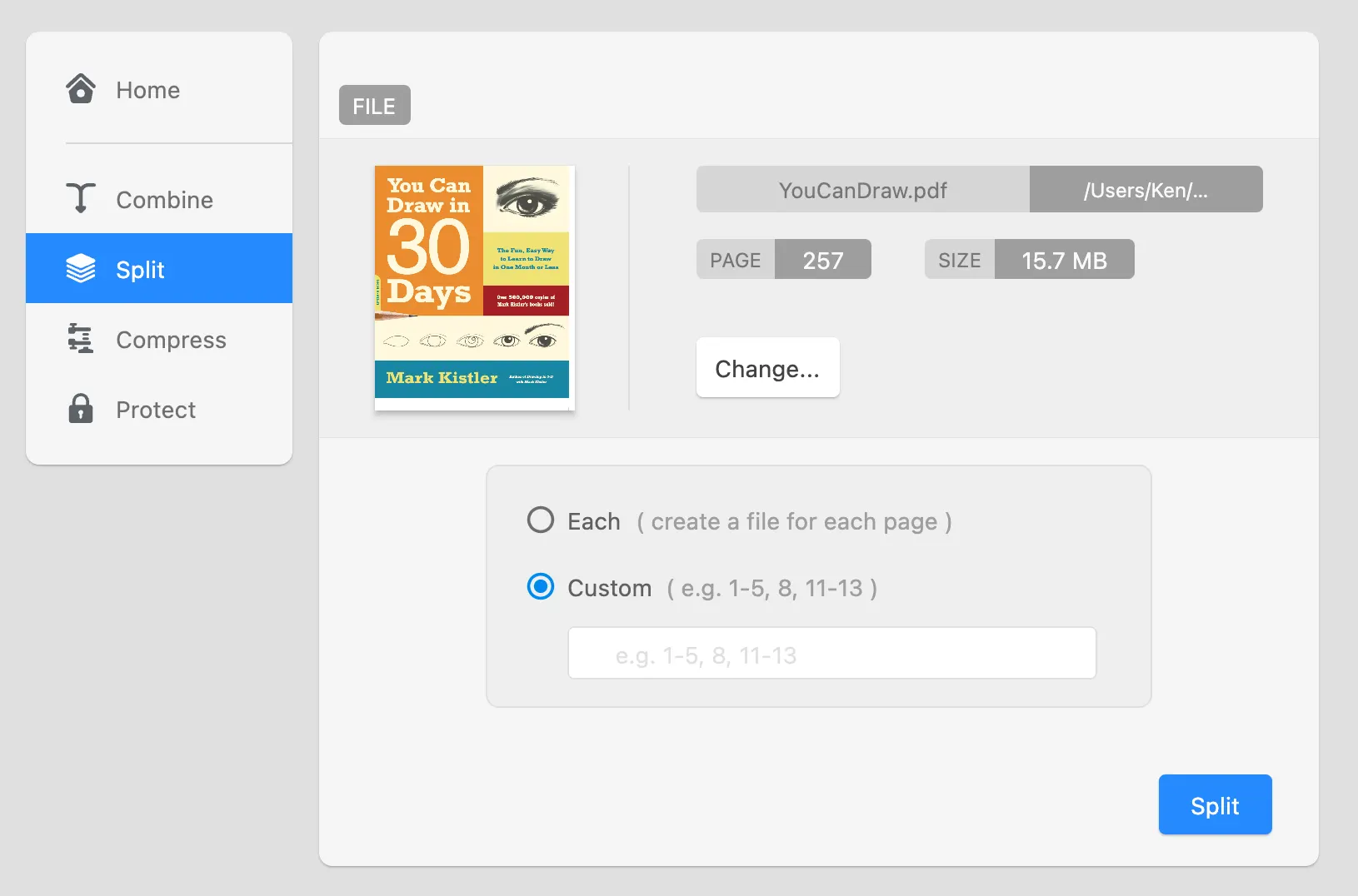
Pull one page or a range of pages out of a PDF and save them as their own document. Useful when only a few pages of a long report need to be shared.
01 / 01
Easily save specific pages of your PDF document. You can extract one page or multiple pages from PDF.
Try GoodPDFThe split PDF function in GoodPDF is designed for users who need to break a PDF document into smaller parts. Whether you need to extract a range of pages or separate every page into its own file, the split PDF process is handled directly on your computer. The underlying PDF engine operates locally—no upload step is involved. When you split PDF documents, all changes happen within the same finished PDF file structure, preserving formatting and content.
This method of using the split PDF feature ensures that all original document styling and font details are retained. GoodPDF does not convert the file to another format before splitting. Instead, it processes the existing PDF file as-is, so extracted pages are identical in appearance to those in the original document. This approach avoids the risks of mismatched fonts, altered layouts, or inconsistent image quality that sometimes appear with other solutions.
Using the split PDF tool in GoodPDF starts with opening your PDF. Once the document is open, you select the 'Organize' section and choose 'pull the pages out' from the toolbox. The interface presents you with clear options: you can enter a range of pages (for example, 4–10) or choose to split every page into a separate PDF. Once your preference is selected, you confirm and select a save location on your computer.
After you execute the split the file operation, GoodPDF creates new PDF files for each specified range or page. Each resulting file will match the original document in appearance, including fonts, graphics, and layout. Because the extract the range feature works entirely within the application, processing is consistent on both Windows and macOS. This workflow does not involve converting your PDF to editable text or image files at any step.
GoodPDF performs split PDF tasks using its integrated PDF engine. The application opens and processes PDFs directly, rather than sending data over the internet or requiring any intermediate conversion. When you ask GoodPDF to separate the document documents, the engine parses the existing structure and generates new, smaller PDF files. Fonts, annotations, and interactive elements are preserved as they are in the source document.
One point that distinguishes GoodPDF’s pull the pages out approach is that it makes no alterations to the extracted pages. No image compression beyond what is present in the original, no changes to embedded links or form fields. This method allows you to split the file files for different purposes—such as sharing specific sections or archiving portions—without worrying about loss of quality or fidelity.
Many tools that offer the ability to split PDF documents rely on uploading your file to a website or converting to another format during processing. These extra steps can introduce unwanted changes, such as mismatched fonts, incorrect page breaks, or lost hyperlinks. Some online extract the range tools also place restrictions on the number of pages or file size, which can be limiting in practical use.
Unlike those methods, GoodPDF’s separate the document feature operates solely on your computer. No file leaves your machine for processing; all editing and saving take place locally. As the engine directly manipulates the PDF file, there is no point where your content is reformatted or repackaged. This approach prevents the types of subtle layout shifts and formatting inconsistencies sometimes seen after using other pull the pages out services.
When you use GoodPDF to split PDF files by extracting a specific page range, the application directly copies the associated page objects from the original file into a new PDF container. This process is handled by the native PDF engine bundled within the GoodPDF application, ensuring that text, images, outlines, and bookmarks are preserved. Each extracted page retains its original font size, type, and opacity settings throughout the split the file operation.
If your intention is to extract the range documents so that every page becomes a separate file, GoodPDF will loop through your document and construct a new file for each page individually. Metadata and bookmarks (where applicable) remain attached to each new file, allowing for accurate referencing afterward. This approach gives you precise control over how you separate and store sections of long documents.
The split PDF tool in GoodPDF is suited to tasks such as extracting chapters from an ebook, isolating specific reports from a compilation, or preparing documents for electronic signature. In a business context, you might use separate the document to create individualized documents for clients by separating each contract page. Researchers can pull the pages out collections of articles for easier storage and reference.
GoodPDF’s method ensures that after you split the file documents, each part remains as functional and readable as the original. If you deal with PDF files that include a mix of text, annotations, and graphic elements, the extract the range tool maintains the integrity of each element without introducing conversion artifacts such as page reflow or missing fonts.
GoodPDF lets you use the split PDF function, as well as nine other tools, in its free version. You do not need to create an account or sign up to use the separate the document tool. When you want clean output, a single licence key, bought once, removes the watermark across macOS and Windows (up to five devices).
The pull the pages out feature functions identically in both the free version and GoodPDF Pro. All split the file operations are managed by the same local PDF engine that ships with the desktop application. This ensures no change in quality, performance, or workflow when you move from the free version to licenced use.